HelperBat feature
Research scouts
Give a scout a research mission, context and a schedule. It combines web research with your selected sources, filters repeated findings, and emails a digest of new results. Revisit and keyword-search earlier findings in your dashboard.
In practice
A realistic use case
A research lead tracks new public funding calls for a specific type of lab. They put their organization’s general profile and reference documents in shared scout settings, then create a grant scout with a narrower mission, keywords, local context and grant sources. A weekly digest surfaces new candidates with source links; the team can later search that scout’s findings dashboard for a program name or topic instead of searching old email.
The workflow
From setup to follow-through
- 01
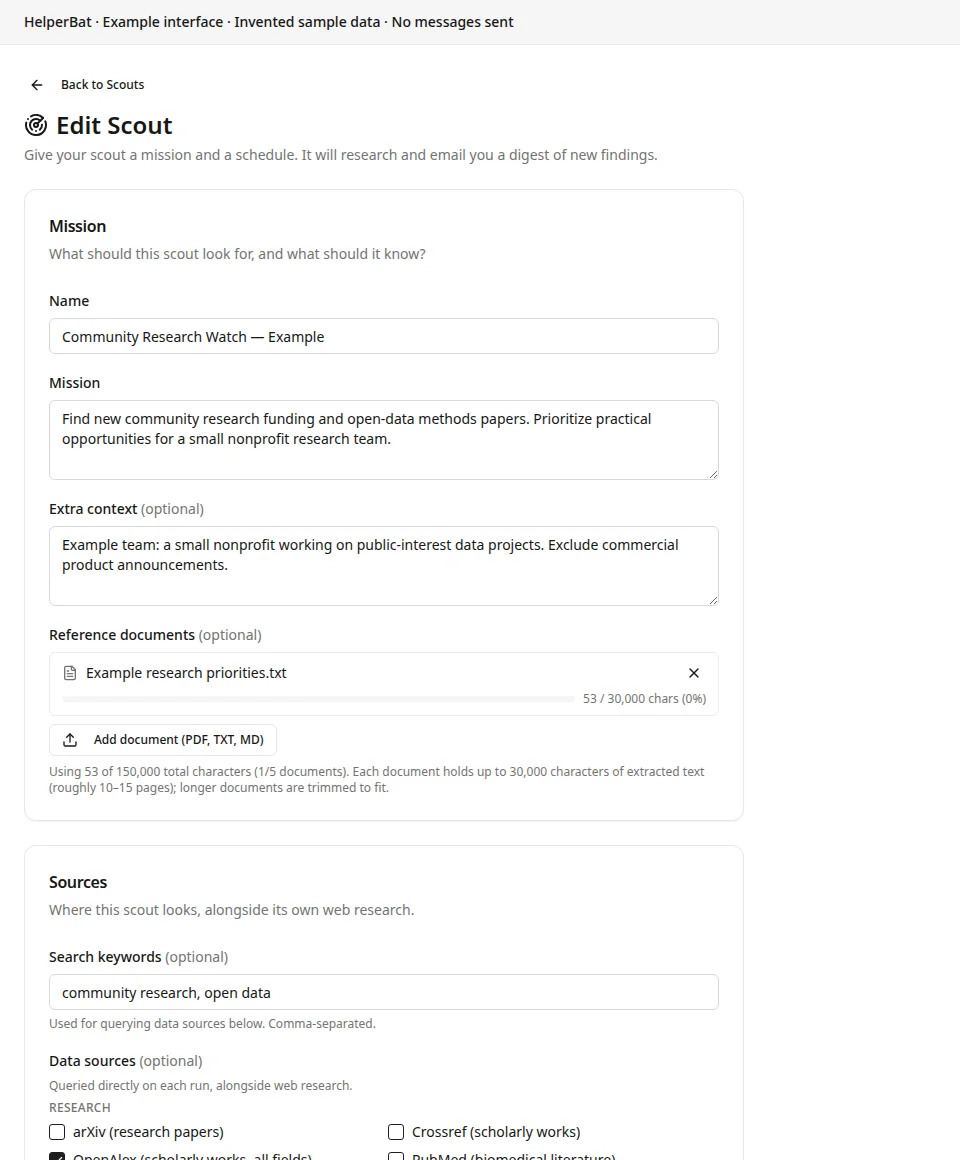
Write a mission that says what to find, what makes a result relevant, and what to leave out. Missions can be up to 5,000 characters; optional comma-separated search keywords give supported source queries additional terms.
- 02
Add scout-specific context and preferred sources for this mission. Separately, add shared context and preferred sources once in Scout settings to apply that background across scouts.
- 03
Attach PDF, TXT or Markdown reference documents to either the shared settings or the individual scout. Each group accepts up to five documents; extracted text is capped at 30,000 characters per document, and longer text is trimmed.
- 04
Select the direct research, news, government/grants, tech or Canada data sources that fit, add RSS feed URLs if useful, and set preferred sources. Web research also runs alongside selected data sources.
- 05
Choose a daily, every-N-days (2–30), weekly or monthly run. Weekly scouts use a selected weekday; monthly scouts use a day from 1–28. Set the run time in your account’s scheduling timezone.
- 06
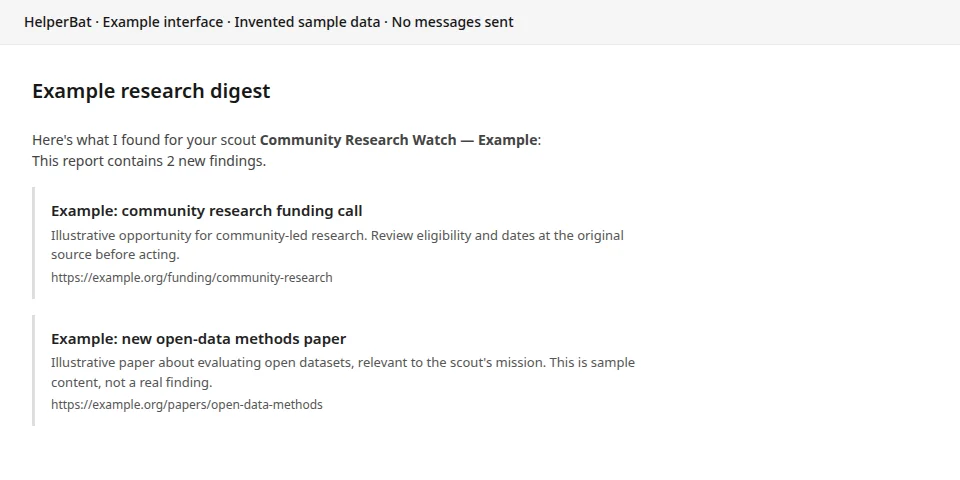
Choose what happens when a run has no new findings: skip the email (the default) or send a short no-new-findings note. When a run has findings, review the digest and follow its source links.
- 07
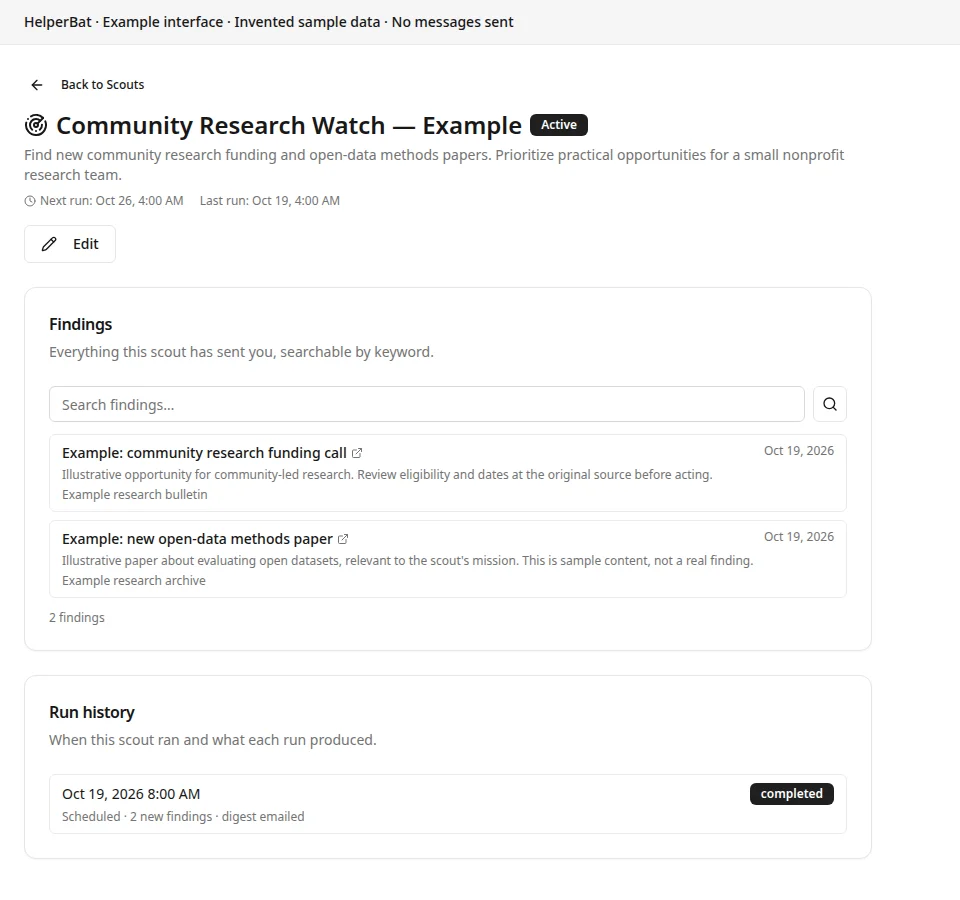
Open the scout’s dashboard history to review runs and keyword-search saved findings. The assistant can use keyword search over past finding titles, summaries and URLs while preparing later scout results to reduce repeats; that is not a natural-language search feature available by email.
A look inside
Screens from the workflow
Good to know
What to expect
- The dashboard’s keyword search searches the saved finding history for that scout. Searching past findings by sending a question to the email assistant is not implemented.
- Reference files are limited to PDF, TXT and Markdown. Each shared-settings group and each individual scout can have up to five documents, with up to 30,000 extracted characters per file; excess text is trimmed.
- A scheduled scout is periodic, not live monitoring. Supported source coverage and returned results vary with source availability and the mission’s search terms.
- Search-history matching and duplicate fingerprints help avoid repeats, but related pages, changed records or substantial updates can still appear again.
- A digest is a research starting point. Open the linked source and verify details before relying on a finding.
Answers before signup
Frequently asked
What context does a scout use?
It combines the account’s shared scout context, preferred sources and shared reference documents with that scout’s own mission, context, keywords, preferred sources, selected data sources, RSS feeds and reference documents. Shared settings can describe background relevant to all scouts; per-scout settings narrow an individual research task.
What document types and limits apply?
Reference documents accept PDF, TXT and Markdown. You can attach up to five documents to shared scout settings and up to five to each scout. Extracted text is capped at 30,000 characters per document; if a document is longer, only the beginning up to that limit is retained.
Which sources are available?
Scouts use web research and can query selected direct sources across Research, News, Government & Grants, Tech and Canada, as well as RSS feeds you add. Examples include arXiv, Crossref, PubMed, Grants.gov, NIH RePORTER, GDELT and Canada.ca News. Results depend on the selected source and query.
What schedules can I choose?
Daily; every 2–30 days; weekly on a chosen weekday; or monthly on a chosen day from 1–28. You also set the run time, interpreted in your account’s scheduling timezone.
What happens if a run finds nothing new?
The default is to skip the email. You can instead choose to receive a brief no-new-findings note for that run.
Where can I search findings from earlier runs?
Each scout has dashboard findings history with keyword search over saved findings and paginated results, plus a separate run history. The scout’s research process can keyword-search previous findings to reduce duplicates. Searching that history by emailing a question to HelperBat is not implemented.
Will a scout find every relevant result or remove every duplicate?
No. Results depend on available sources and query terms. History search and duplicate fingerprints reduce repeated reporting but cannot guarantee complete coverage or identify every near-duplicate and update.
Next step
See if it fits your work.
Plans and prices can change; check the current details before signing up.